Your first study in
MatrixAI Studio
A real walkthrough of the current Studio: frame a problem, watch the engines compete, read why one wins, use it and take it with you. Every screenshot comes from a live session, in this language, with a measured public example.
That's it. MatrixAI Studio runs entirely inside Docker, on your own machine: your data does not leave it, except what you choose to send to your own LLM.
Frame the problem, or load an example
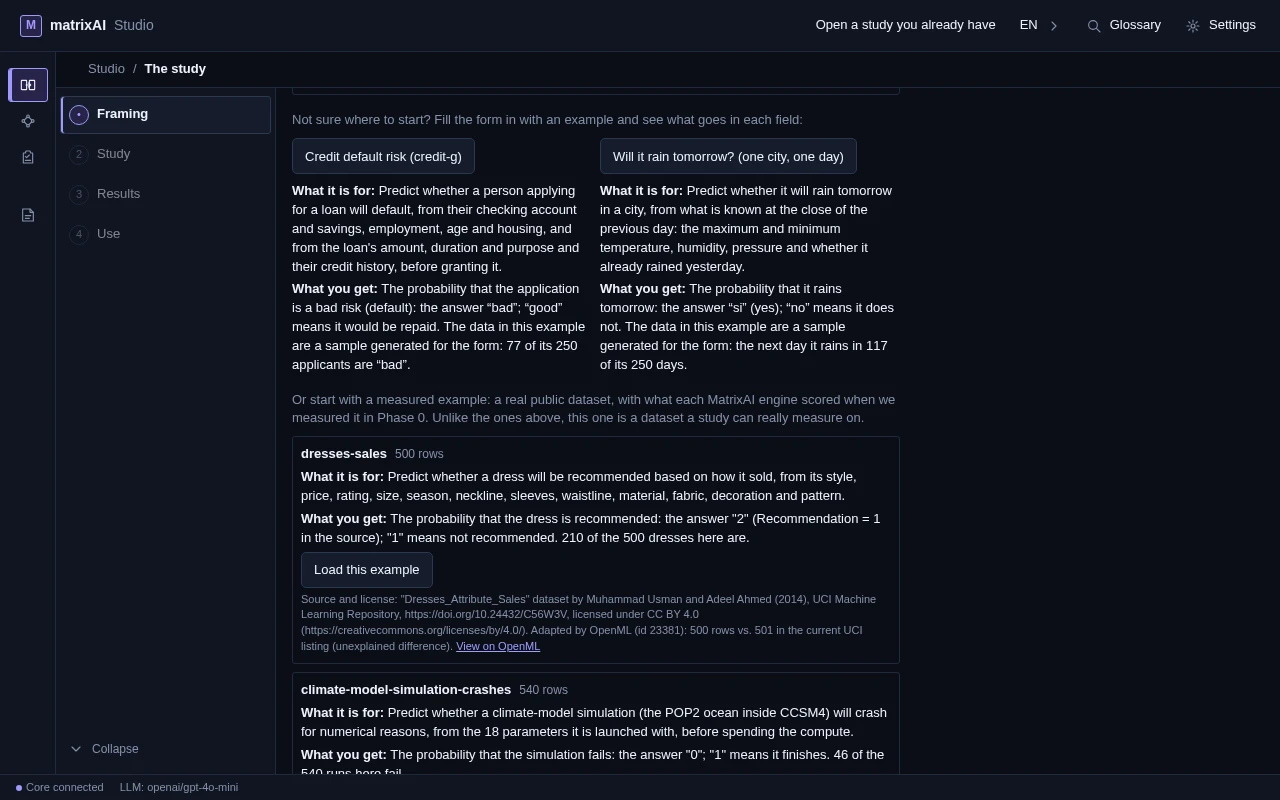
The first screen of the study: you reach it from the Studio’s home page with “Try the study”. A study does not train one model: it frames the problem, makes several candidates compete and picks one — or says none is good enough. You can start from a form example (a few invented rows, only to see what goes in each field), from a measured example (a real public dataset) or from your own CSV. Saved studies are listed above and survive a restart. The rest of the tour follows one measured example: climate-model-simulation-crashes, 540 rows from UCI.
Choose what to predict
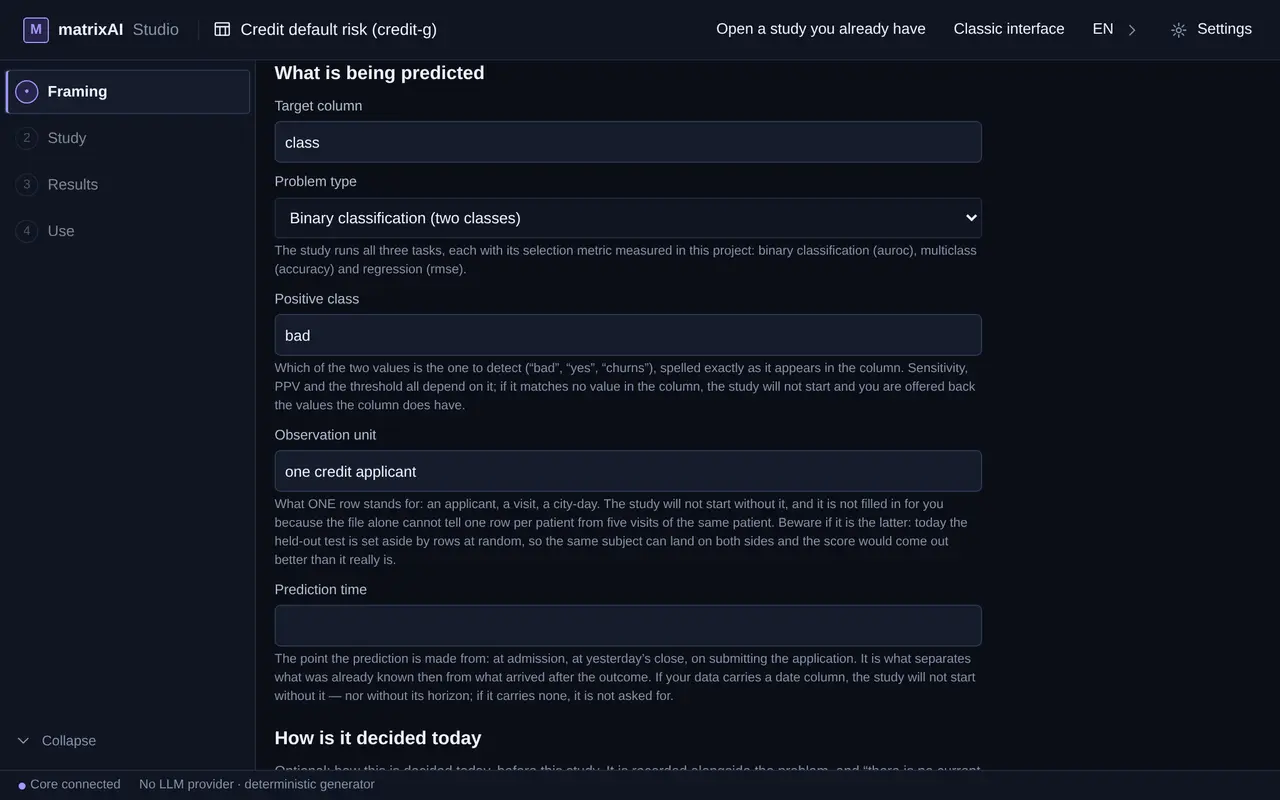
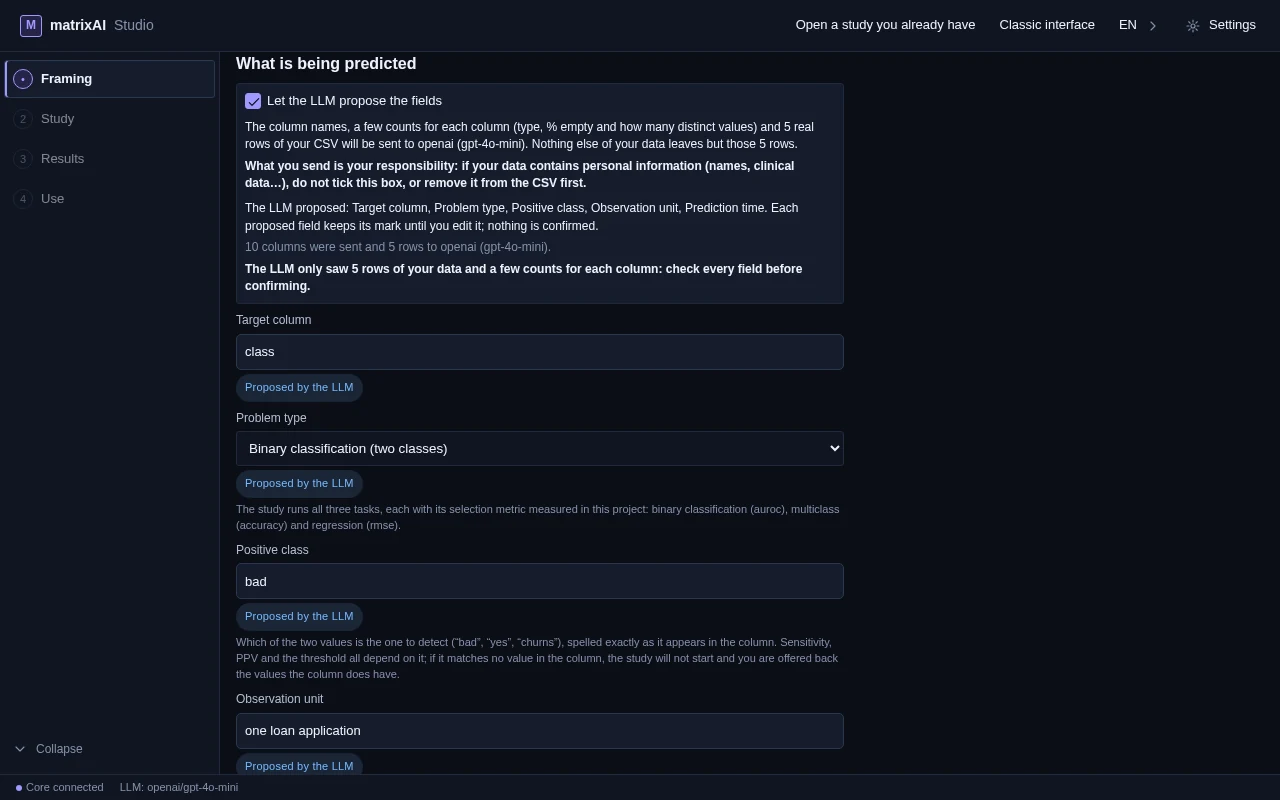
The target column, the kind of problem (two classes, several classes or a number), which class is the positive one, what one row stands for and the moment the prediction is made. The Studio does not fill in what it cannot know: without the unit of observation the study does not start. In the first screenshot the form was filled in from the measured example: the target column (outcome), binary classification and the positive class (0, a simulation that fails) are what MatrixAI measured in Phase 0. Optional: if you have an LLM configured, a box on top of the form (“Let the LLM propose the fields”) asks it to propose the empty fields from the column names, a few counts for each column and 5 real rows of your CSV. In the second screenshot it has done so, on an empty form with the CSV loaded: each proposed field carries a “Proposed by the LLM” mark until you edit it, nothing is confirmed, and what is already written is left alone. Check what it proposes: here it proposed 1 as the positive class, where the measured example uses 0.
Confirm the objective and start
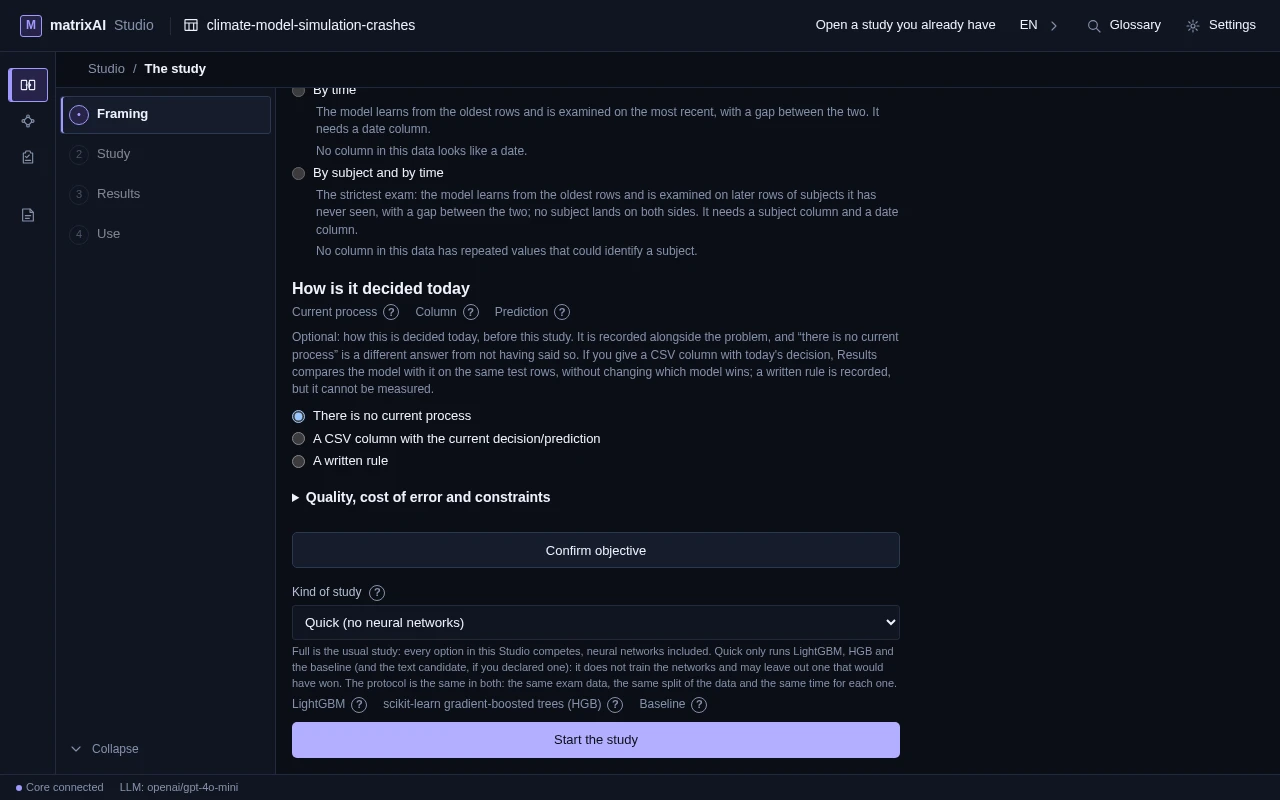
Confirm objective checks the framing against your data before anything runs; Start the study launches it. Optionally you can say how this is decided today and what a mistake costs. “Kind of study” chooses between Full — every option of this Studio competes, neural networks included — and Quick, the one in the capture: it runs only LightGBM, scikit-learn HGB and the baseline, does not train the networks and may leave out one that would have won. The protocol is the same in both: the same exam data, the same split and the same time for each engine.
The engines compete
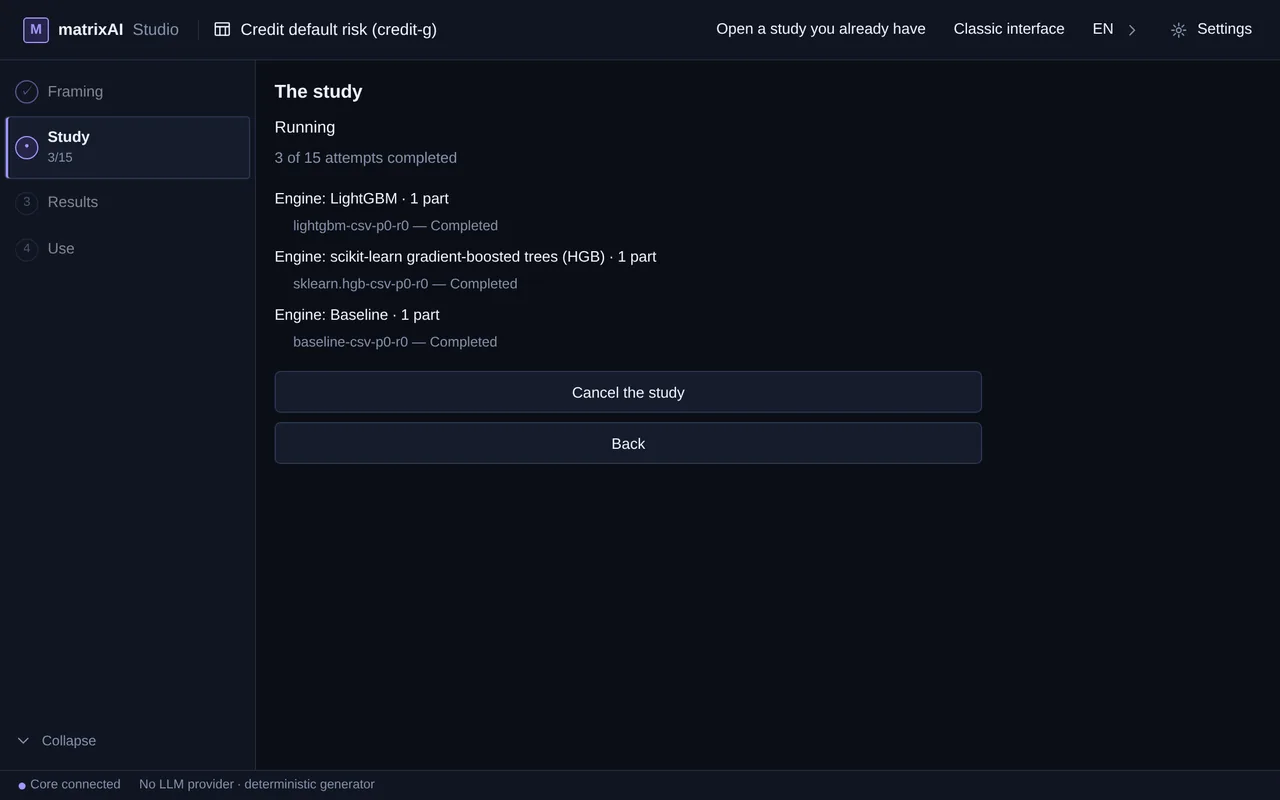
Each engine is tried on several parts of the development data with its own cross-validation, and the test set stays untouched until the end. The screen counts attempts as they finish — here 3 of 15: in Quick mode three engines compete, LightGBM, scikit-learn HGB and the baseline, with five parts each — and you can cancel at any time. It also gives the time estimated when the study started (an estimate, not a measurement or a promise) and how long it has been running, and lists the parts finished under each engine. In Full mode the neural networks compete too, and they add attempts to that count.
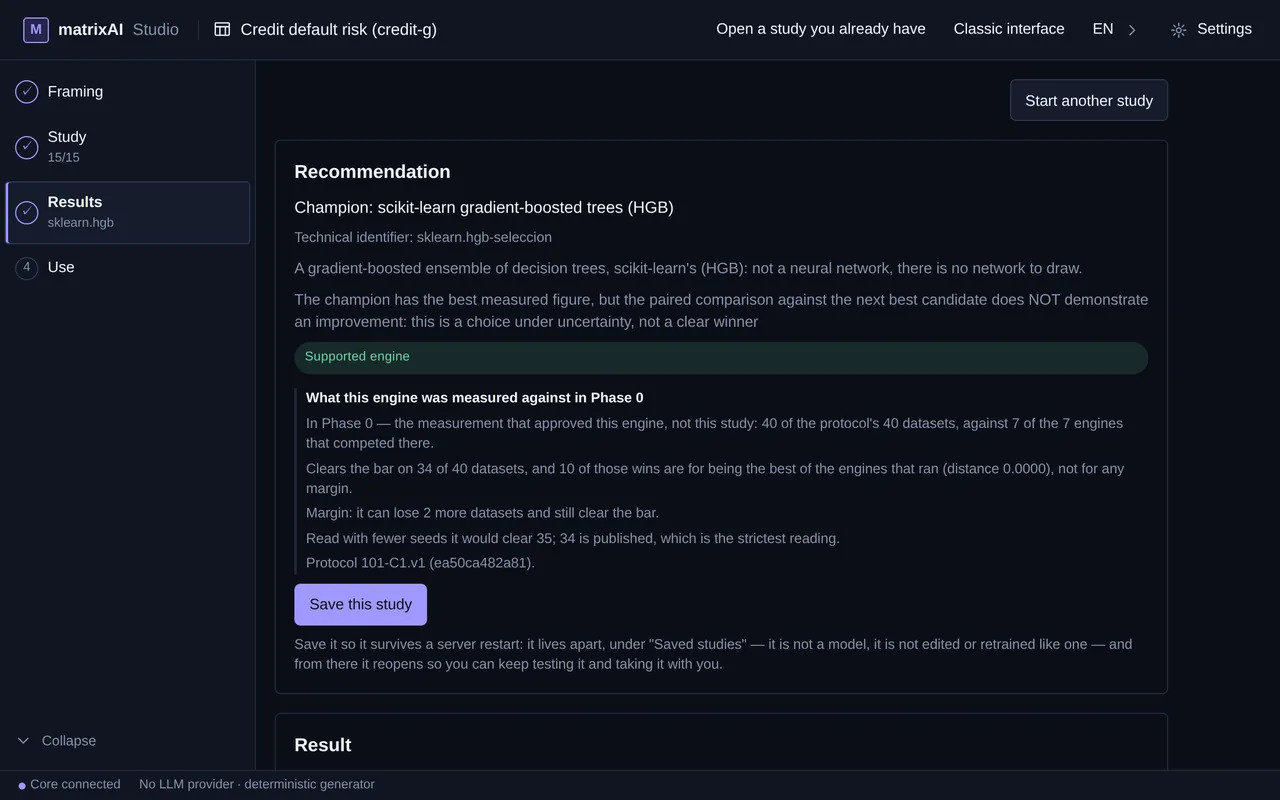
The champion — and why
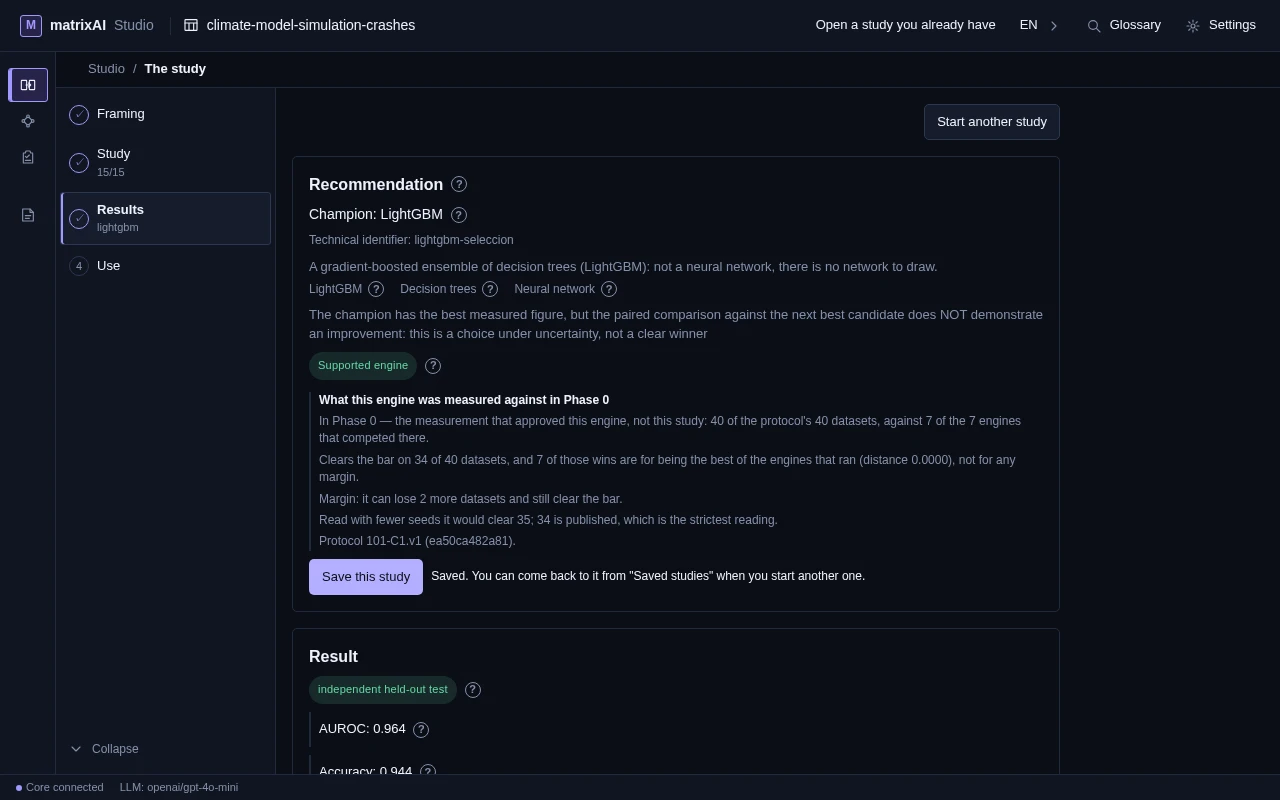
Results opens with the recommendation: the champion by its engine name (here LightGBM), what that engine is, and the reason in plain words. When the paired comparison against the runner-up does not show an improvement, the screen says so, as it does here: it is a choice under uncertainty, not a clear winner. A card says what the engine was measured against in Phase 0. Save this study sits right here.
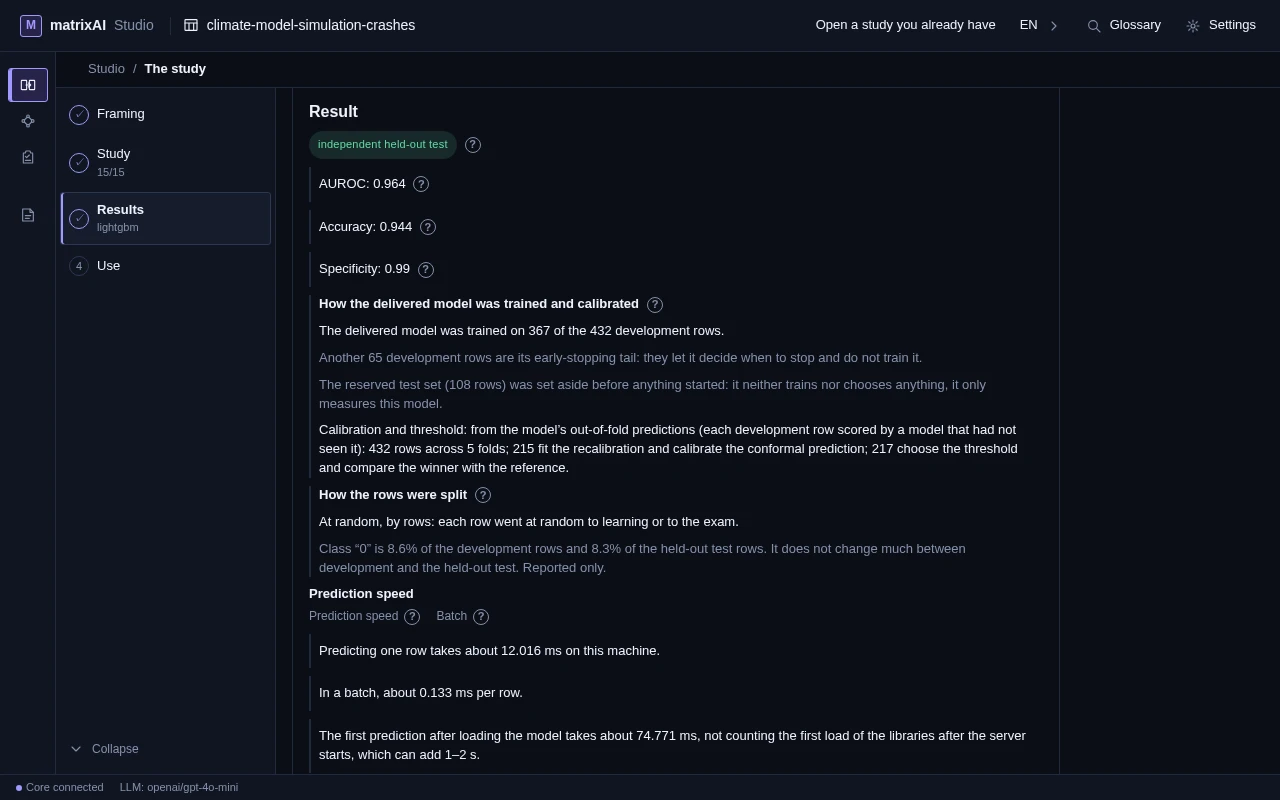
Its figure on the held-out test
The figure that counts comes from data no candidate saw while competing: here AUROC, accuracy and specificity on the independent held-out test (108 rows), plus how the delivered model was trained and calibrated, how the rows were split and how long a prediction takes on this machine. These figures belong to this one study, run in Quick mode on this machine: read them as the screen, not as the Phase 0 measurement; what we measured for real is in “How we measure”.
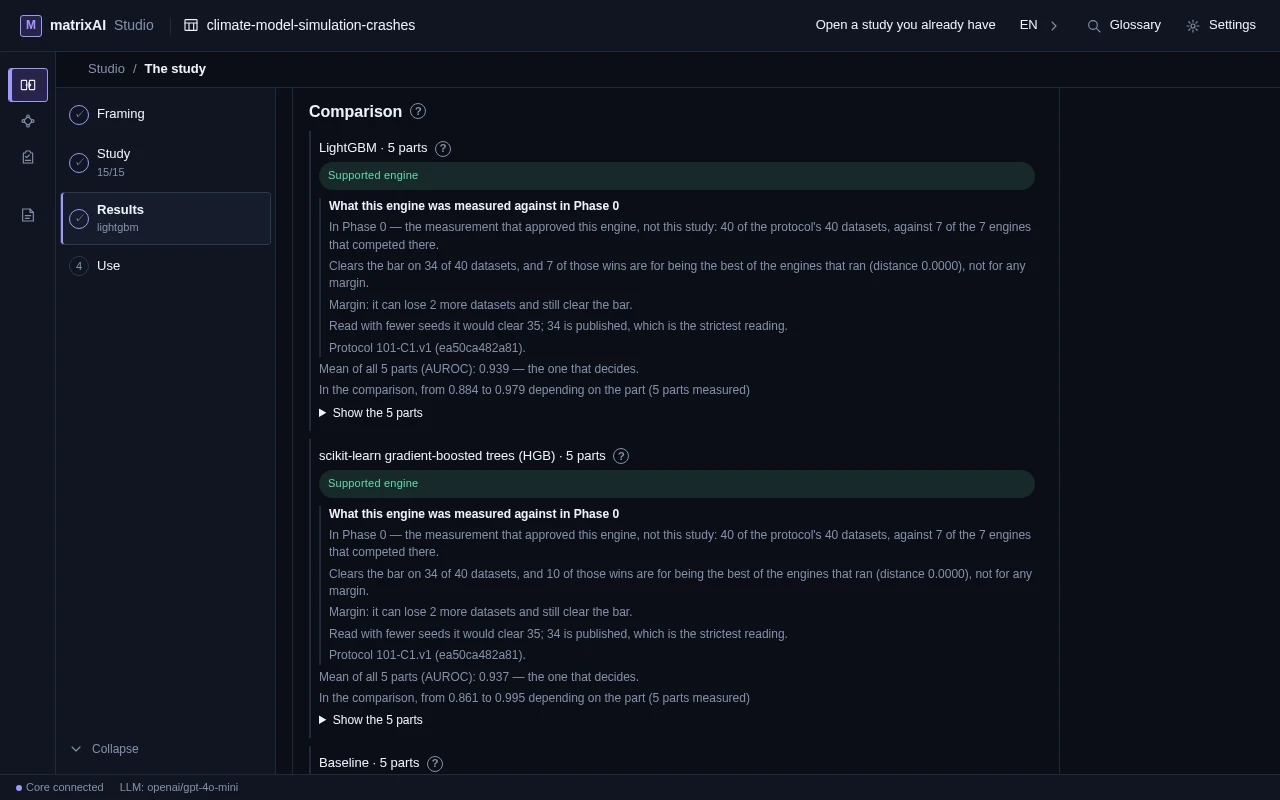
The comparison
Every engine appears once, with its parts. Next to each one, the mean over its parts — the one that decides — and the range between the best and the worst part, so a lucky single split cannot pick the champion. For engines measured before, a card says what they were measured against in Phase 0. Here the means of the two best engines are very close, which fits the note of the previous step.
The evidence and the receipt
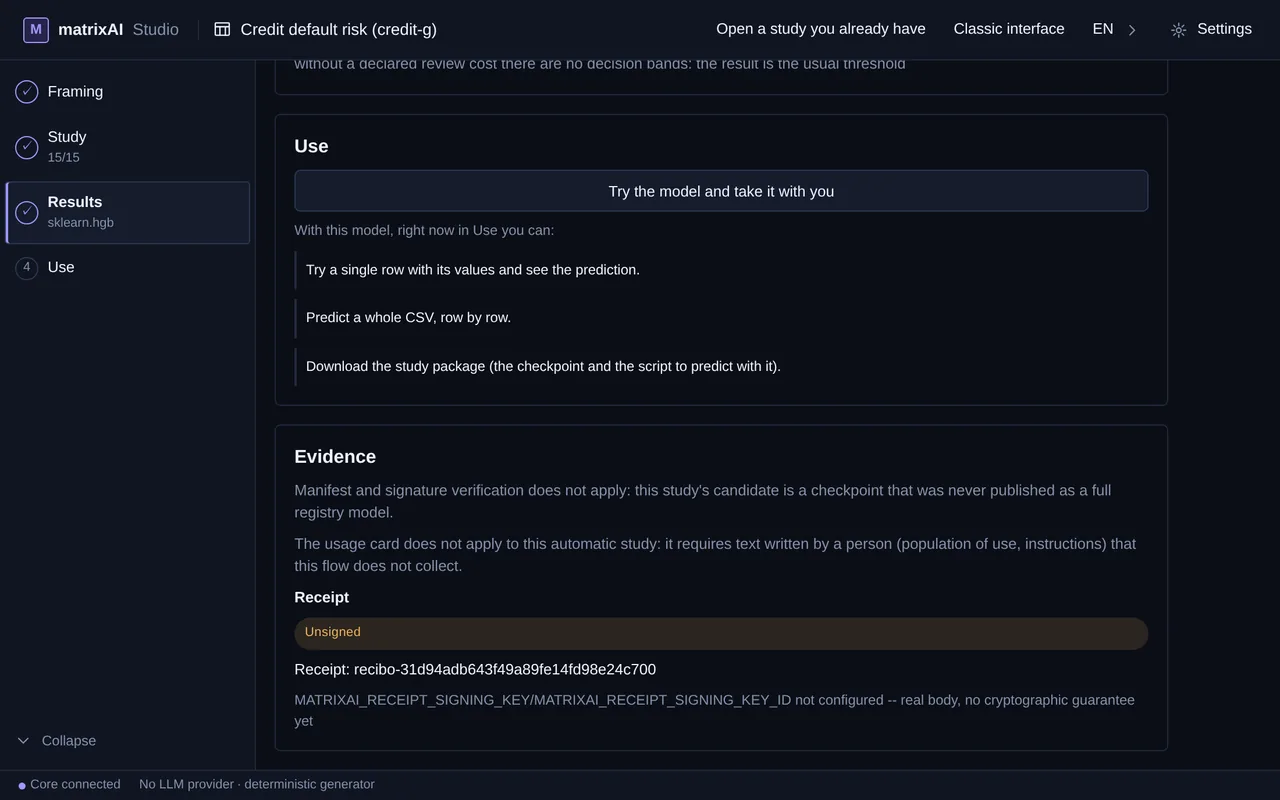
Below the comparison, the evidence says what applies and what does not (manifest and signature checks, usage card) and why: here neither applies, because the candidate is a checkpoint that was never published as a full registry model and the usage card needs text written by a person, which this automatic study does not collect. The receipt records what competed and why it won. It comes out signed with the Ed25519 key of this installation, created the first time it is needed; the screen shows the fingerprint of that key and where it comes from. An HMAC signature with your own shared key stays optional. The signature says which installation signed it and that nobody has touched it since, not that the model is right, and it does not raise the receipt's level.
Save the study
Save this study keeps it apart, under “Saved studies”: it is not a model, it is not edited or retrained like one, and it survives a server restart. From there you reopen it to keep testing it and to take it with you.
Try a row
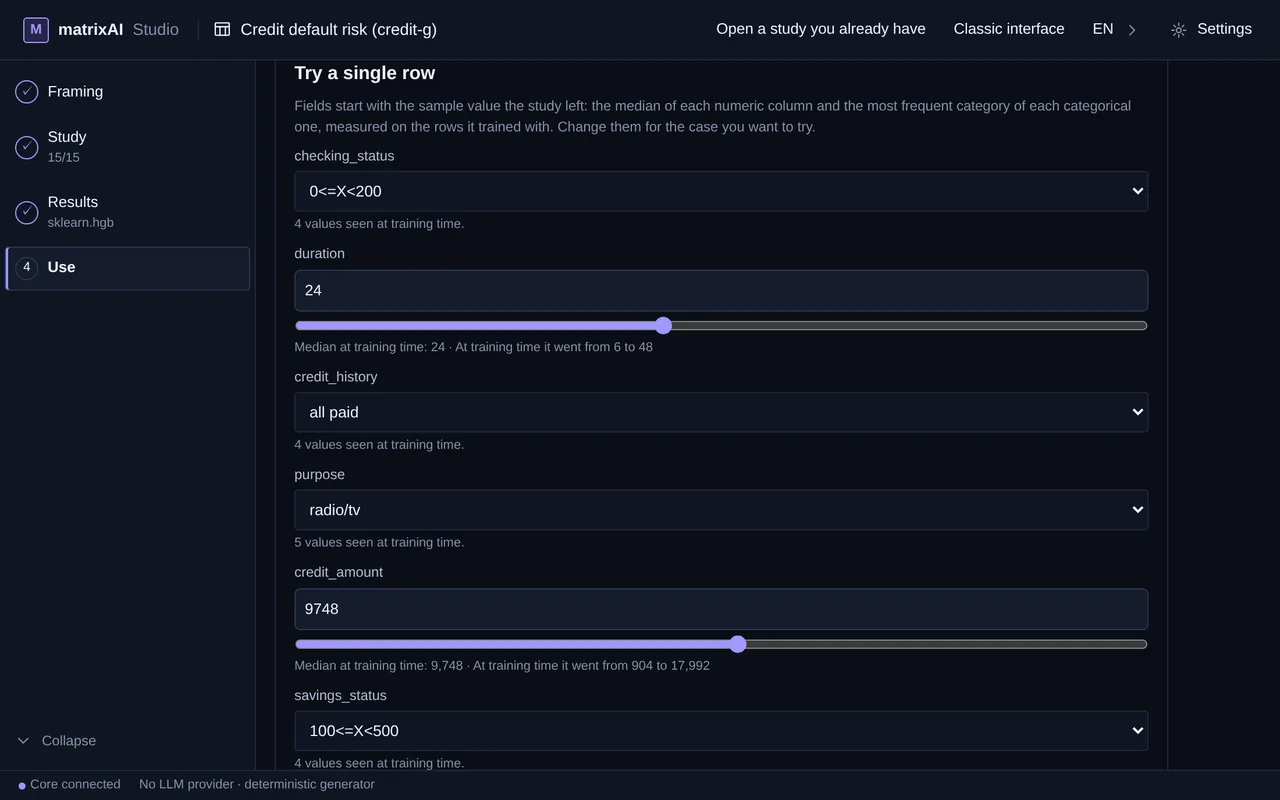
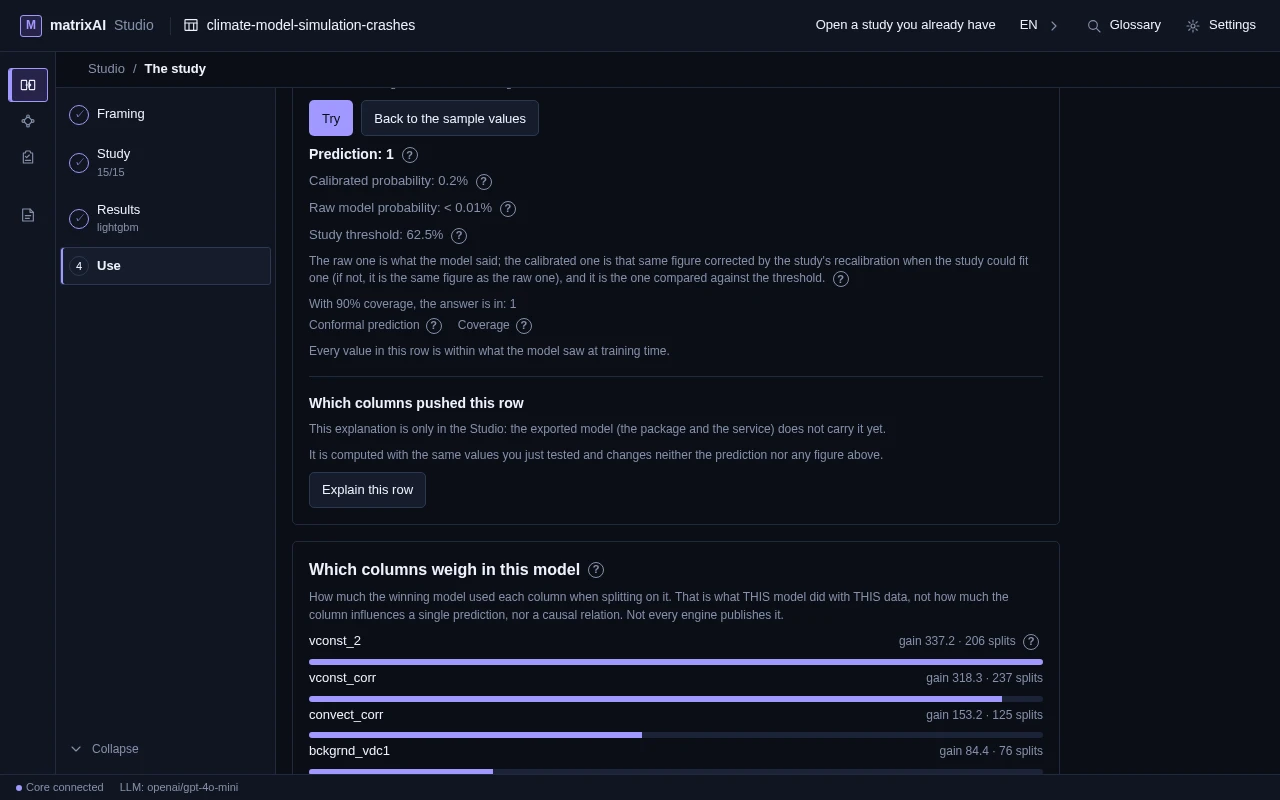
Use starts with a row filled in with the sample value the study left — the median of each numeric column and the most frequent category of each categorical one. Change them to the case you want to try and press Try: you get the prediction, the calibrated and the raw probability, the study threshold, and a warning when a value falls outside what the model saw while training. Below the answer, “Explain this row” says which columns pushed it, and a ranking shows which columns the winning model used most.
Predict a whole CSV
Choose a CSV with the same columns, press Predict and every row is predicted, with a count of how many were predicted and how many failed. Download the result as a CSV.
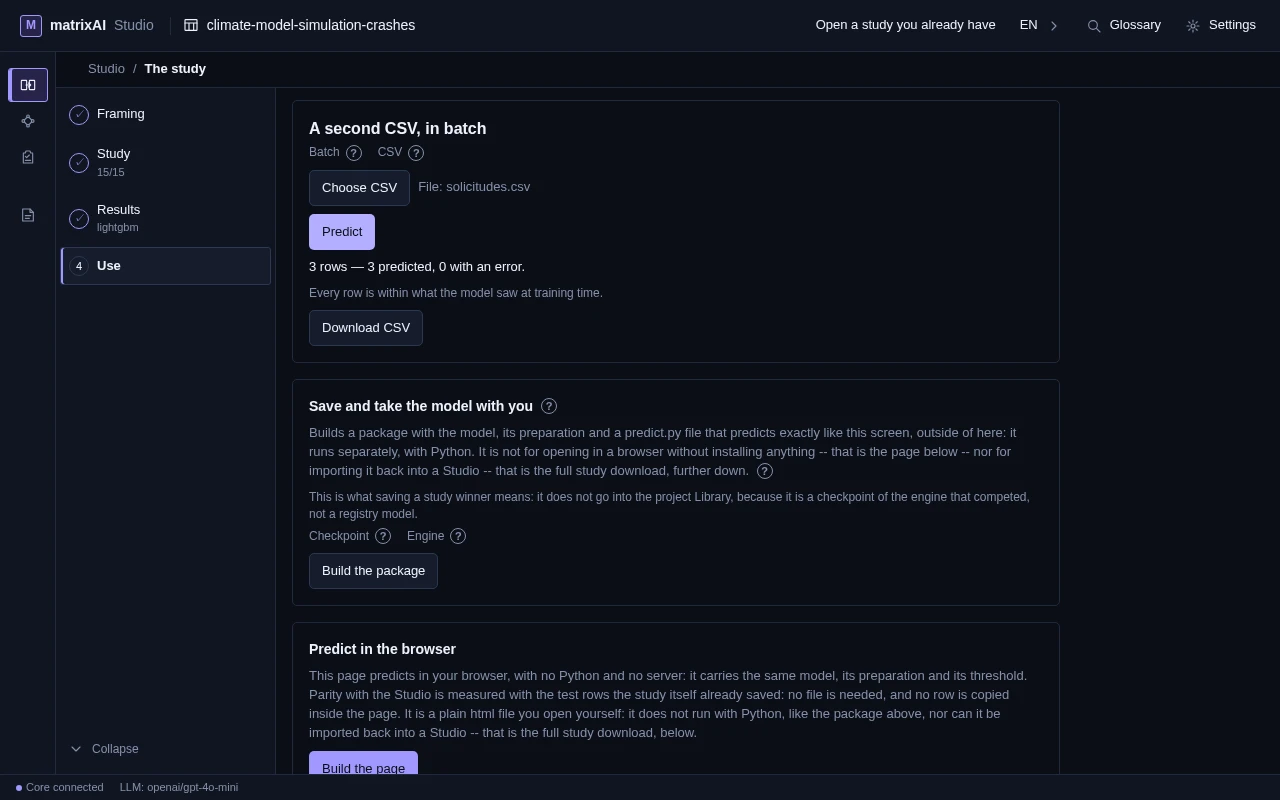
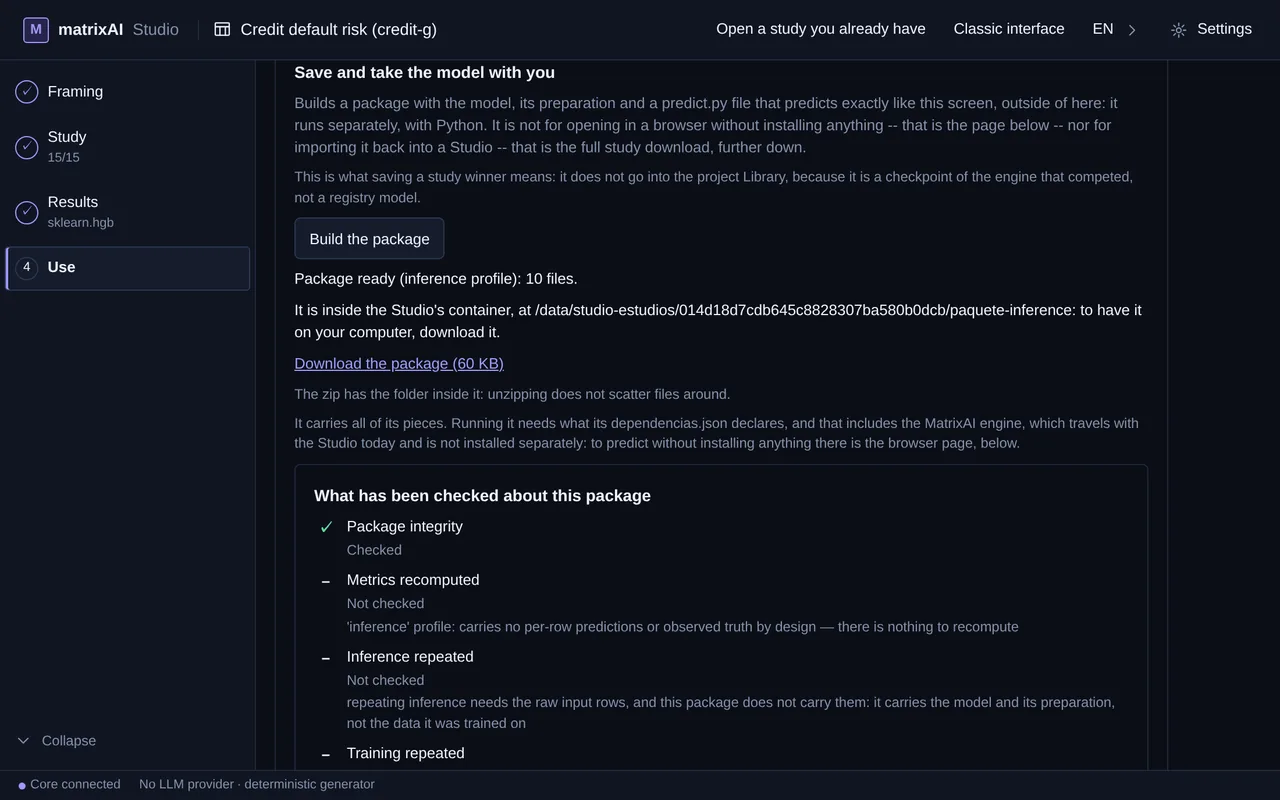
Take the winner’s package
Build the package creates the model, its preparation and a predict.py that predicts like this screen does, outside the Studio, with Python (it needs the Studio’s engines, which are not on PyPI). The screen lists what has been checked about it and what has not, with the reason: here the package integrity is checked, and the other checks say “Not checked” and why (an inference package carries no per-row predictions nor the training data). A page that predicts in the browser (ONNX) is offered only when the winner is LightGBM on a binary problem, with a decision made and no date columns; when it is not possible, the option appears switched off with its reason. To show the model to someone who does not have the Studio, Results also generates a Living Report: it is the next step.
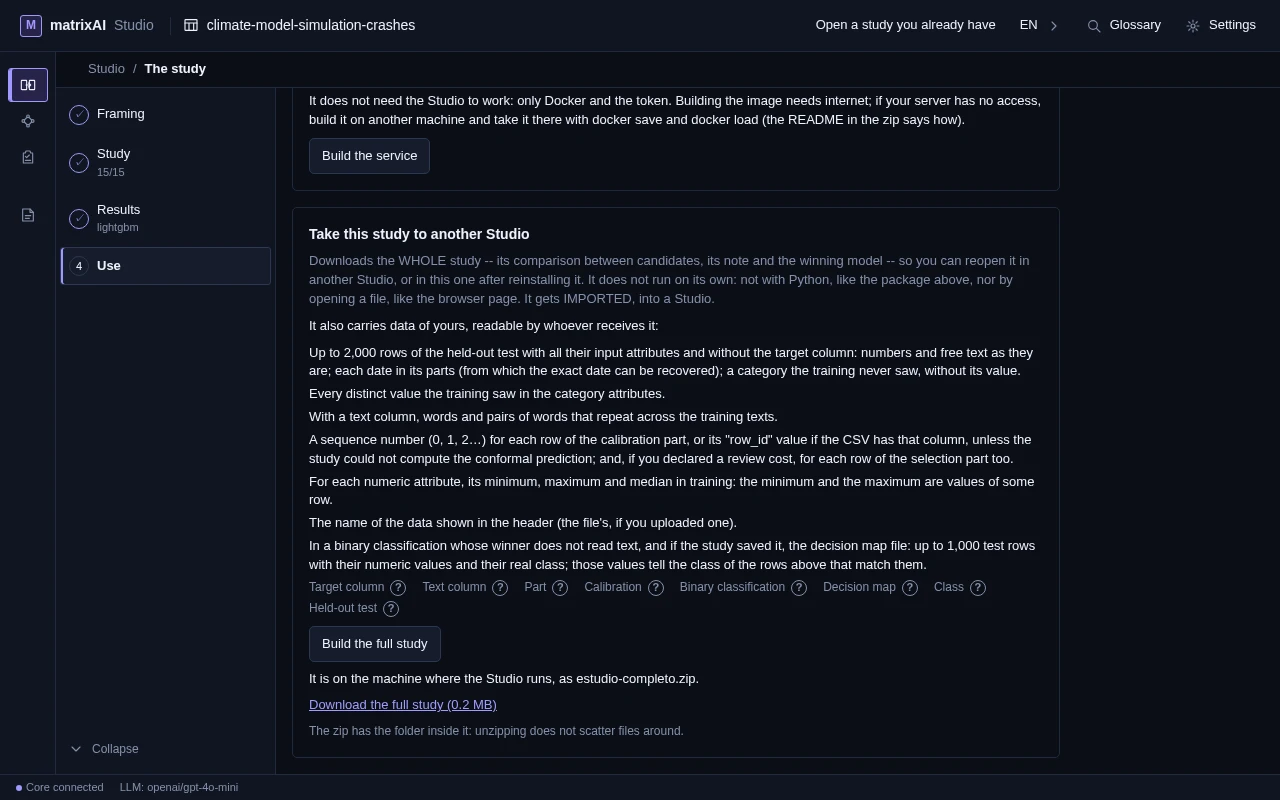
Take the whole study to another Studio
Build the full study makes estudio-completo.zip: the comparison between candidates, its score and the winning model. It also carries data of yours, readable by whoever receives it, and the screen lists it before you build (up to 2,000 rows of the held-out test without the target column, the distinct values of the categories, the minimum, maximum and median of each numeric attribute…). You download it, and you reopen it in another Studio — or in this one after reinstalling — with “Open a study you already have”.
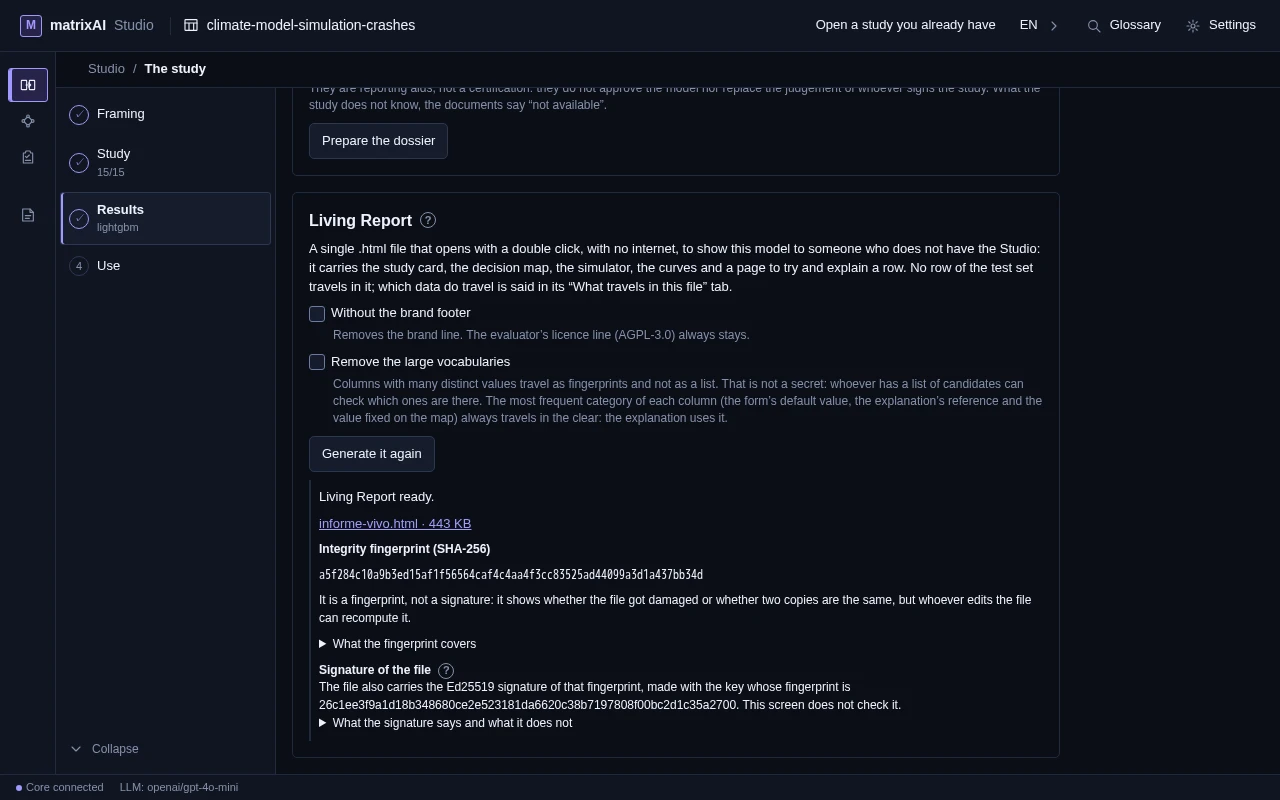
The Living Report
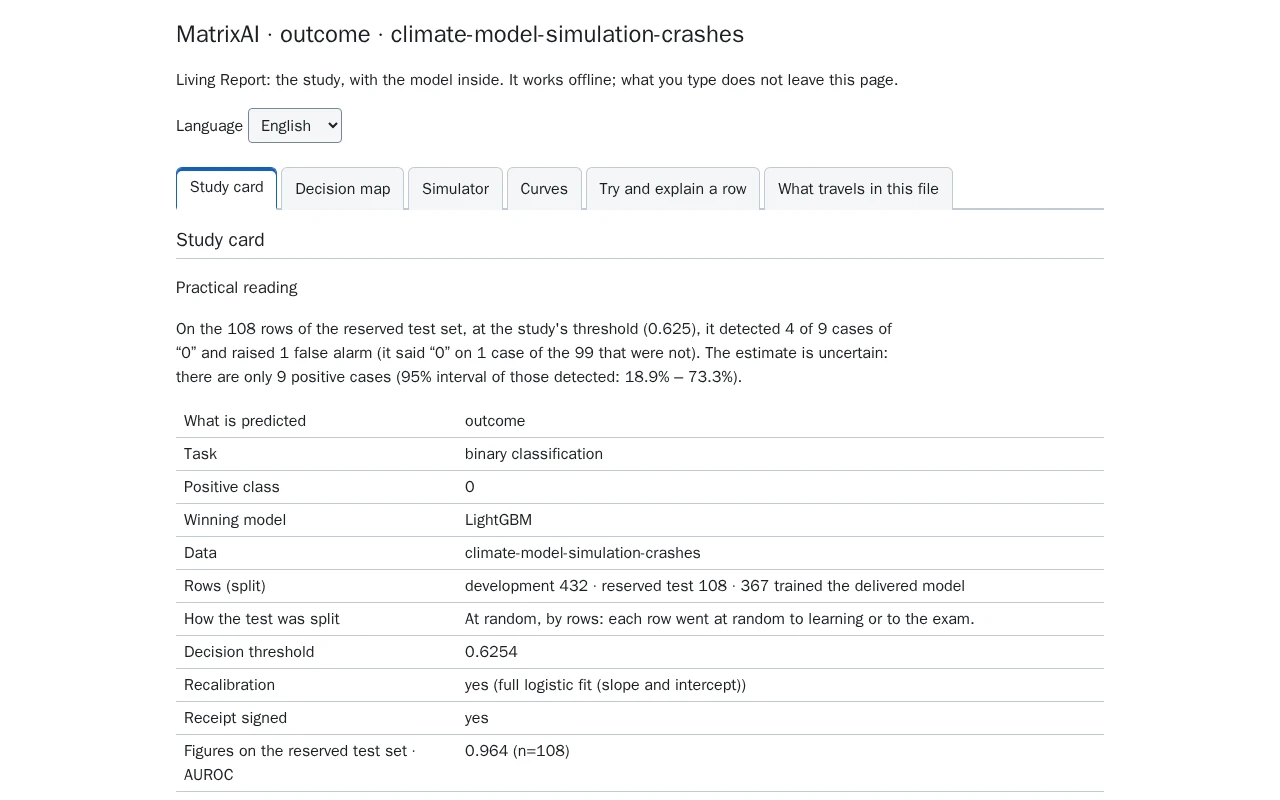
To show the model to someone who does not have the Studio, Results offers a Living Report right below the dossier: “Generate the Living Report” writes a single signed .html file that opens with a double click, without internet. It carries the study card, the curves of the held-out test and a page to try and explain a row — and, in a binary problem, the decision map and the simulator. Two boxes let you remove the brand footer and the large vocabularies. When it is done, the screen shows the file’s integrity fingerprint (SHA-256) — which is not a signature: whoever edits the file can recompute it — and, apart from it, the Ed25519 signature of that fingerprint, with the fingerprint of the key that signed. This screen does not check it: whoever receives the file can, on this website’s “Check a signature” page, in their browser, uploading nothing. A valid signature says the file has not changed since it was signed, not that the model is right. It is offered when a tree model wins, in binary, multiclass and regression studies without date columns; when it cannot be made, the button appears switched off with its reason. The second screenshot is the downloaded file, opened in the browser.
And expert mode?
It is still in the product, behind a switch: “Turn on expert mode” on the Studio’s home screen. There you describe a model in a sentence, upload a CSV or start from a template and go through its phases one by one: the core builds that network, phase by phase. Separately, the classic interface (in the top bar) and the Workbench (in Settings) remain in the package. It is a different way of working from the study, and its manual explains it phase by phase.
One model from a sentence or a CSV, phase by phase — model, data, training, audit, test and deployment — with what each phase reports and what it says it does not do. It also tells you how to switch to it.
Get MatrixAI Studio
One download, one script, your instance running locally in minutes. No data leaves your machine.
Get started ↗